The Manual of Style (MoS), also called formatting guidelines or just guidelines is the style manual for all articles in Pactoria Wiki. The purpose of these guidelines is to help the reader better read the wiki by having rules over its format, design and writing.
Do not use articles (a, an, or the) as the first word in the page's title.
Do not use punctuation or special characters in page names. This includes formatting i.e. italic or bold text, and page names must not be colored or include currency symbols or special characters.
Use neutral titles for historical event articles. For example, instead of calling it "Nation's Totally Bad-Ass Deployment in Nation2", call it "Nation-Nation2 War". If you feel the need to use non-neutral names, you may include them in the article's lead section as a secondary name.
The page name should be precise and concise. Don't use vague wording and choose descriptive words.
Every word in the page name must be capitalized.
Page sections
An article should start with a lead section. Infoboxes, images, and other related content should always be right-aligned. Message box templates such as {{Lore}}
An article's body must always be in third-person except for lore excerpts.
In the article's body, use the present tense for entities that currently exist in the server's lore, and past tense for those that do not currently exist.
In the article's body, always write out numbers that are less than three digits long. i.e. 99 = ninety-nine.
Page headings
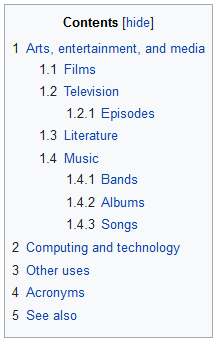
Table of contents are numbered
A heading is an introductory title for a page section. They generally follow the same guidelines for page names.
A heading must never be numbered or lettered as an outline. The table of contents already does such job.
A heading must never reduntantly refer back to the article's subject. i.e. Instead of "Character's early life", use "Early life"
Do not use links in headings.
Markup
Italics
Italics are used for emphasis, titles of creative works, foreign language terms or scientific plant, animal or race names.
Avoid overusing italics to preserve the article's emphasis.
Boldface
Boldface is commonly applied to the first occurrence of the page title's word or phrase in the lead, and most common synonyms.
Avoid using boldface for emphasis, introducing new terms or expanding acronyms i.e. United Collectivized Lands
Punctuation
Apostrophes
Use straight apostrophes (') instead of curvy apostrophes (’) or backticks (`)
Quotations
Quotations may be used to illustrate points, establish context or attribute a point of view or idea.
Do not put quotations in italics unless the quoted material would otherwise call for italics
Quotations must always be clearly identified as such using double quotation marks ("quoted text") for quotations shorter than about 40 words.
Quotations must always be identified using the double quote marks e.g. "example" for quotations shorter than 40 words. For quotations longer than 40 words, use the {{Quote}} template.
Parentheses and brackets
Use space before and after a bracket [] or a parenthesis (), but not inside either of them e.g. This [is] a sentence (that) exists. Do not use spaces next to parentheses and brackets if there is a colon, semicolon or a quotation mark.
Brackets can be used inside quotes to indicate editorial replacements, insertions or grammatical corrections, but this should never alter the original meaning.
Parentheses can be used inside quotes to indicate omissions, though this should never alter the original meaning.
If an entire sentence is within brackets or parentheses, punctuation falls within the brackets.
Dashes
Do not confuse hyphens (-) with dashes (– and —). There are two types of dashes: En dashes (–) and em dashes (—). They are both often used to mark divisions within a sentence and interruptions.
To mark divisions within a sentence, both dashes can be used, but en dashes are spaced on both sides, while em dashes aren't. They can also be used to clarify a sentence's structure when parenthesis and commas are already being used. They should also be used sparingly to make reading easier.
Use en dashes to express ranges that can be expressed with to or through e.g. 750–1000 people. Do not mix en dashes with between and from.
Use en dashes for relationships between components i.e. boyfriend–girlfriend and compounds that include spaces, hyphens or dashes i.e. Pre–Matrix War.
Infoboxes
Do not create additional infoboxes; use the ones provided by the wiki team.
Infoboxes always go to the right side of the page.
Do not put 'none' or 'N/A' as data in an infobox unless necessary for the reader's experience. If not necessary, leave it blank.
Links
Always use hyperlinks. Do not use raw URLs in them. To use them, for example, use [[Main Page|this]] to show this.
Make links only relevant to the page's context, and only when necessary for the reader's understanding. Once you've put a hyperlink, do not overuse it throughout the article; use them once per heading (not sub-heading) at first occurrence. If you are having trouble, proofread your own article before creating it.
To link to external pages, use [https://wiki-beta.pactoria.net/wiki/Main_Page this] to show this. Do not use hyperlinks to external pages to redirect the reader to the wiki itself.